

iPad battery replacement in Georgetown typically costs $59–$99 depending on your model. Base-model iPads run $59–$79, while the big Pro models with their larger glued-in cells run $89–$99. At Tech Guys, most iPad batteries are replaced same-day, and every fix includes a 90-day warranty on parts and labour.
If your iPad dies at 40% or only lasts an hour off the charger, here’s the short version: it’s almost certainly the battery, not the charger — but test with a known-good Apple cable and brick first, because a $25 cable beats a $79 battery every time. If a good charger doesn’t change anything, the battery is done. The rest of this guide covers what you’ll pay by model, how we confirm it’s actually the battery, and when a new battery isn’t the right call.
iPad Battery Fix Prices by Model (Georgetown, 2026)
| iPad Model | Typical Battery Fix Cost | Fix Time |
|---|---|---|
| iPad Pro 13″ / 12.9″ | $89–$99 | Same-day |
| iPad Pro 11″ | $79–$99 | Same-day |
| iPad Air (all gens) | $69–$89 | Same-day |
| iPad (10th/11th gen) | $59–$79 | Same-day |
| iPad mini (6th/7th gen) | $59–$79 | Same-day |
| iPad (7th–9th gen) | $59–$79 | Same-day |
Please note: all prices shown are estimates only, not confirmed prices. Final pricing may vary based on your device model, parts availability, and the extent of the issue. Contact us for a confirmed quote.
How to Tell It’s Actually the Battery
About a third of the “dead battery” iPads we see don’t need a battery at all. Run through this before you pay for one:
1. Test the charger first. Use a genuine Apple cable and power brick (or a known-good equivalent) plugged straight into the wall — not a laptop USB port, not a cheap gas-station cable. If the iPad charges normally, you just saved yourself a battery fix.
2. Check the charging port. Shine a light in there. If it’s packed with lint, a careful clean-out with a wooden toothpick often brings charging back to life. If the cable wobbles loosely or only charges at certain angles, the port itself may be worn — that’s a separate fix we can quote.
3. Watch the symptoms. A dying battery has a signature: sudden drops (100% to 60% in minutes), shutting off at 20–30%, or the iPad only working while plugged in. If it charges slowly but holds steady once full, that’s usually the charger or cable, not the cell.
When you bring it in, we test all of this before quoting — battery health, port condition, and charger output. If it turns out to be a $0 lint clean-out, we’ll tell you and send you on your way.
Why iPad Batteries Wear Out
iPad batteries are rated for roughly 1,000 full charge cycles before they drop to about 80% of original capacity. For a daily-use iPad, that lands around the 3–4 year mark — right when most people start noticing.
Heat is the accelerant. An iPad left on a car dashboard in July, or one that lives on a sunny windowsill, will age its battery far faster than the cycle count suggests. Same goes for gaming: graphically heavy games keep the processor hot for hours, and sustained heat is the single worst thing for lithium cells.
Age alone does it too. Even an iPad that sat in a drawer for two years will have a degraded battery — lithium cells slowly lose capacity whether you use them or not. If you dug out an old iPad and it dies in an hour, that’s normal chemistry, not a defect.
What Happens During an iPad Battery Fix?
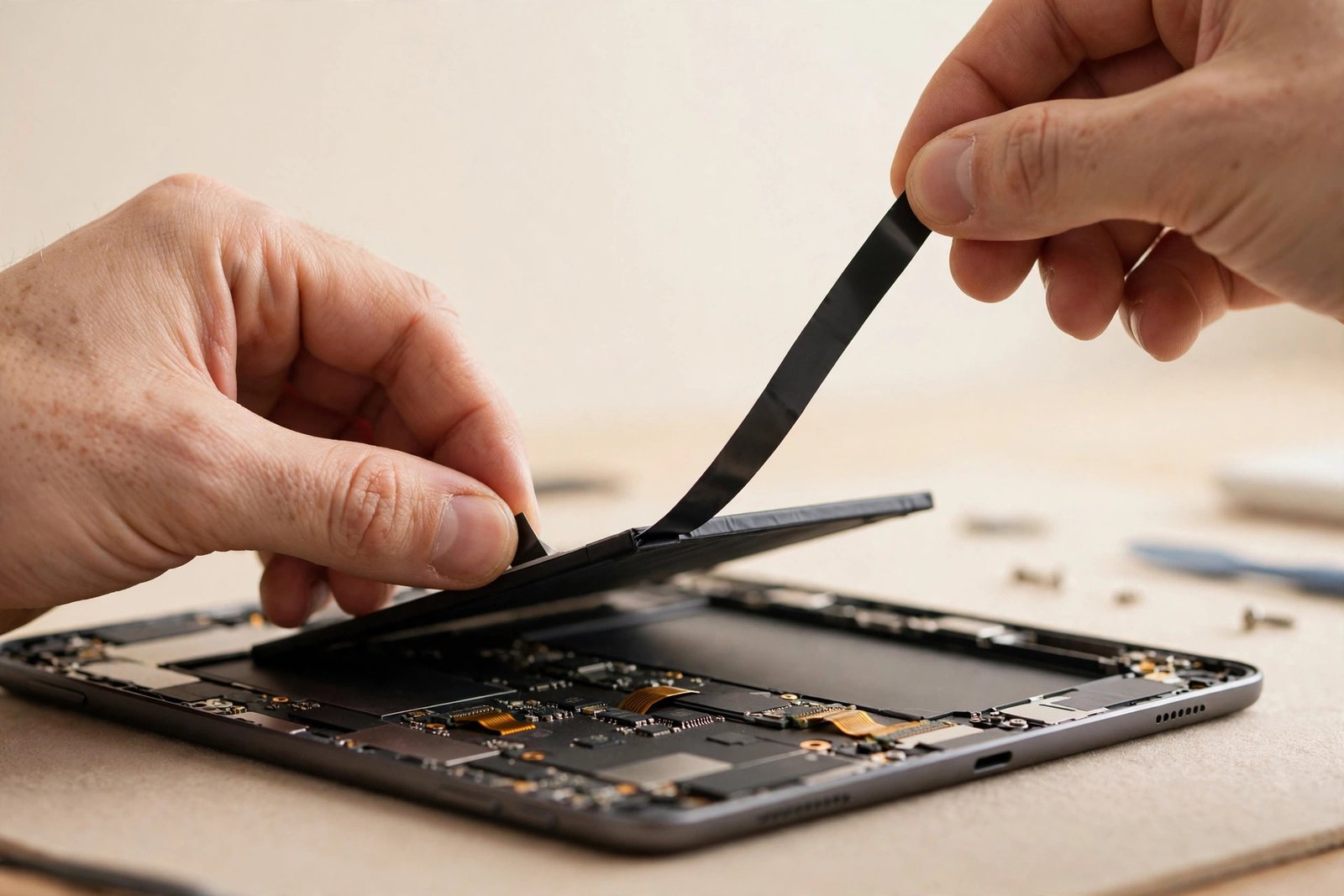
iPad batteries are glued to the inside of the back housing with strong adhesive strips — sometimes a lot of them. This is the fiddly part of the job, and it’s why a proper fix beats a DIY attempt that ends with a punctured cell.
We open the iPad the same careful way as a screen fix: heat, thin tools, patience. Once inside, the old battery’s adhesive strips are slowly pulled or softened — never yanked, because a bent lithium cell is a fire risk. The old cell comes out in one piece and goes straight into battery recycling.
The new cell goes in with fresh adhesive, everything is reconnected, and then we don’t just hand it back — we charge-cycle it and verify it holds. A battery fix isn’t done when the iPad turns on; it’s done when it survives a full discharge test without sudden drops. That’s the difference between a fix that lasts and one that brings you back in a month.
Making Your New Battery Last Longer
A fresh battery should give you 3–4 more years. These habits decide whether you get that or half:
- Don’t bake it. Heat is the killer. Don’t leave the iPad in a hot car, on a radiator, or in direct sun for hours. If it feels hot during gaming, give it a break.
- Use a decent charger. Cheap no-name bricks can deliver dirty, unstable power. You don’t need Apple’s most expensive charger, but buy from a brand you’ve heard of.
- Turn on Optimized Charging. In Settings → Battery → Battery Health, optimized charging learns your routine and holds the iPad at 80% until you need it. This alone can add a year to the battery’s life.
- Don’t fear the 20–80% rule, but don’t obsess either. Keeping the battery between 20% and 80% reduces stress on the cells. But an iPad is a tool — use it. The occasional full charge won’t hurt anything.
- Update iPadOS. Apple regularly fixes battery-draining bugs in updates. An iPad losing 30% overnight is often a software issue, not a dying cell — check for updates before assuming the worst.
When a New Battery Is NOT Worth It
Sometimes the honest answer is no:
- The iPad is ancient and slow. A $79 battery in a 2017 iPad that can’t run current apps is money toward frustration. We’d rather point you at a refurbished upgrade.
- It’s iCloud-locked. Same rule as screens — if Activation Lock is on and you can’t prove ownership, we can’t touch it. Bring the Apple ID credentials or proof of purchase.
- The charging port is destroyed AND the battery is dead. Two fixes on an old iPad can exceed its value. We’ll price both honestly and let you decide with real numbers.
- It’s just a software drain. If a rogue app or a stuck update is eating the battery, a $0 settings fix beats a $79 battery. We check this during diagnosis — free.
Frequently Asked Questions
How do I know my iPad needs a new battery and not just a new charger?
Test with a genuine Apple cable and brick plugged into the wall first. If a good charger doesn’t help and the iPad drops charge suddenly, shuts off above 20%, or only works plugged in — that’s the battery. We verify all of this free during diagnosis.
Will a battery replacement erase my photos and data?
No. The battery is just a power component — your storage is untouched. Your photos, apps, and settings stay exactly as they were. We still recommend an iCloud backup beforehand, just in case.
How long does an iPad battery fix take?
Most are done same-day, usually within a few hours. Drop it off in the morning and it’s typically ready by afternoon, tested and charged.
Will my iPad hold a charge like new afterwards?
Yes — a fresh battery restores original capacity, so you should get the same 8–10 hours of mixed use the iPad had when new. If it doesn’t, bring it back: that’s what the 90-day warranty is for.
Is it worth replacing the battery on a 5-year-old iPad?
It depends on how the iPad runs otherwise. If it’s still fast enough for what you do and the only problem is battery life, $59–$79 is absolutely worth it. If it’s slow, can’t update, and has other issues, put the money toward a newer one — we’ll give you an honest read.
Does the battery fix come with a warranty?
Yes — every iPad battery fix includes a 90-day warranty on the part and our labour.
My iPad stops charging at 80%. Is the battery bad?
Probably not — that’s Apple’s Optimized Charging doing its job to extend battery life. Check Settings → Battery → Battery Health. If you need a full charge for a trip, you can temporarily turn optimization off.
Do you fix iPad charging ports too?
Yes. If your cable only works at certain angles or the port is packed with debris we can’t safely clean, a charging port fix is available for most models. We’ll diagnose port vs. battery free before quoting.