
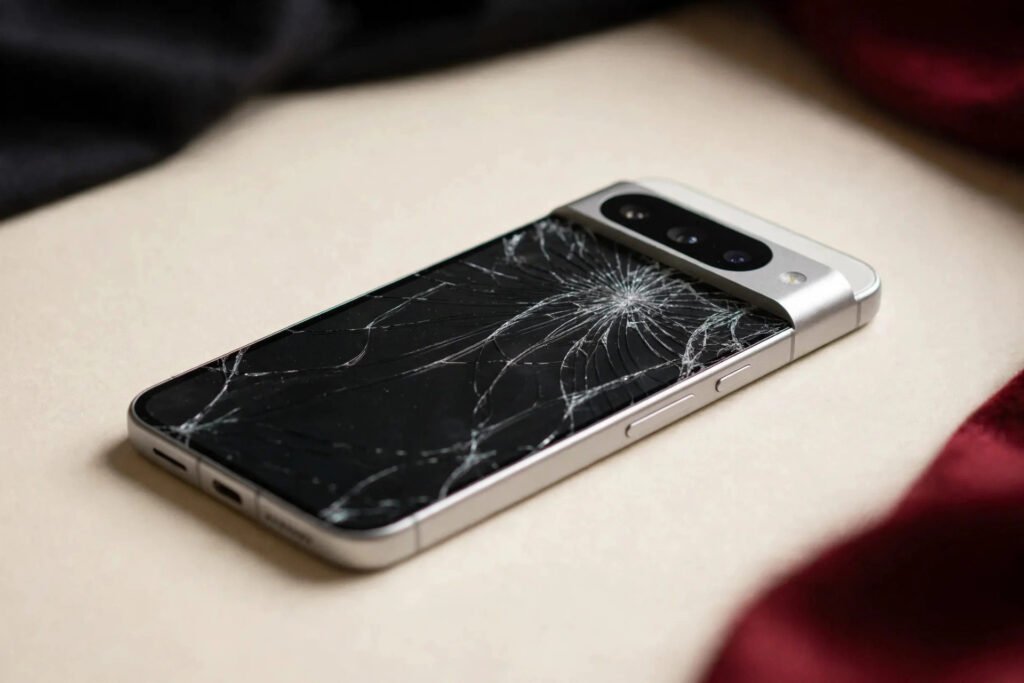
Google Pixel screen repair in Georgetown typically costs $99–$249 depending on your model. The budget-friendly a-series phones run $99–$159, while flagship Pixel 9 models with LTPO OLED displays run $179–$249. At Tech Guys, most Pixel screens are fixed in 45–90 minutes while you wait, and every fix includes a 90-day warranty on parts and labour.
If your Pixel screen just cracked, here’s the short version: stop using it if glass is flaking or the touch is acting up, back up your photos if the screen still responds, and bring it in sooner rather than later. A cracked Pixel screen that’s ignored tends to develop dead spots and flickering, and the fix only gets more expensive. The rest of this guide breaks down exactly what you’ll pay by model, why Pixel screens cost what they do, and how to avoid overpaying.
Google Pixel Screen Fix Prices by Model (Georgetown, 2026)
| Pixel Model | Typical Screen Fix Cost | Fix Time |
|---|---|---|
| Pixel 9 Pro / 9 Pro XL | $199–$249 | 60–90 min |
| Pixel 9 | $179–$229 | 60 min |
| Pixel 8 Pro | $169–$219 | 60 min |
| Pixel 8 | $149–$199 | 45–60 min |
| Pixel 7 Pro | $139–$189 | 45–60 min |
| Pixel 7 | $129–$179 | 45 min |
| Pixel 8a / 7a | $109–$159 | 45 min |
| Pixel 6a / 6 | $99–$149 | 45 min |
Please note: all prices shown are estimates only, not confirmed prices. Final pricing may vary based on your device model, parts availability, and the extent of the issue. Contact us for a confirmed quote.

Why Pixel Screens Cost What They Do
Three things drive the price of a Pixel screen fix, and they’re a little different from iPhones and Samsungs.
1. The display itself. Every modern Pixel uses OLED — Google doesn’t make LCD phones anymore. The a-series phones use simpler OLED panels, which is why a Pixel 8a screen runs $109–$159. The flagships use LTPO OLED with adaptive refresh rates up to 120Hz, and those panels cost significantly more to manufacture. That’s the main reason a Pixel 9 Pro screen is $199–$249 while a Pixel 7a is nearly half that. It’s the part, not the labour.
2. Parts availability. Here’s the honest truth about Pixels: they’re less common than iPhones and Galaxies, so replacement parts aren’t always sitting on every shelf. A good shop either stocks Pixel screens or can get them within a day or two. If a shop tells you “we don’t do Pixels,” it usually means they don’t want to deal with sourcing the part — not that the fix is hard. We fix Pixels every week and keep the common screens in stock.
3. The fingerprint sensor. Pixels use an under-display fingerprint reader that’s bonded to the screen assembly. On some models, the sensor needs to be carefully transferred or recalibrated after a screen swap. It’s routine for an experienced tech, but it’s what separates a proper Pixel fix from a rushed one. If your fingerprint reader stops working after a screen fix somewhere else, bring it to us — it’s usually a calibration issue we can sort out.
Aftermarket vs. Original-Quality Pixel Screens
Like every phone, Pixel screens come in quality tiers, and you should know what you’re paying for:
- Aftermarket OLED — the budget option. Looks good, touch works fine, colours are close. Most people can’t tell the difference in daily use. This is what the lower end of our price ranges reflects.
- Original-spec OLED — matches Google’s brightness, colour accuracy, and refresh-rate behaviour. If you’re picky about your display or you do photo work on your phone, this is worth the extra money.
- Genuine Google — only available through Google itself or authorized providers, at authorized-provider prices.
We’ll always tell you which tier we’re quoting before we start. The price difference between aftermarket and original-spec on a Pixel is usually $30–$60.
What Happens During a Pixel Screen Fix?
Pixel screen fixes follow the same careful process as any flagship phone, with a couple of Pixel-specific steps:
1. Testing first. Before we open anything, we test what’s actually broken — the glass, the digitizer (touch layer), the OLED panel, or some combination. A phone with a cracked-but-working screen needs just the assembly; a phone with flickering or dead spots may have deeper display damage. Either way, you get the diagnosis before we quote.
2. Heat, lift, and disconnect. Pixels open from the screen side. We heat the adhesive, lift the display with suction and picks, and disconnect the battery first — always, no exceptions. Then the screen flex cables come off.
3. Fingerprint sensor transfer. On models with under-display readers, the sensor assembly is moved to the new screen and tested. This is the step that trips up inexperienced shops.
4. New screen, new adhesive, full test. The replacement goes in with fresh waterproof-rated adhesive, and we test everything: touch across the whole panel, fingerprint enrolment and unlock, brightness, always-on display, and the front camera. Only then do we hand it back.
Most Pixel fixes are done in 45–90 minutes while you wait. The Pro models take a little longer because of the curved-edge adhesive and sensor calibration.
How to Protect Your New Pixel Screen
A screen fix is the perfect time to make sure you don’t need another one:
- Tempered glass screen protector ($15–$25 installed). The single best investment. It absorbs the impact that would otherwise crack your display. We install them free with any screen fix — just ask.
- A case with a raised lip. Pixel phones are slippery, especially the Pro models. A case with corner protection and a raised edge around the screen turns most drops into non-events.
- Be careful with the a-series. The Pixel a phones use slightly thinner glass to hit their price point. They’re great phones, but they crack more easily than flagships — a protector is almost mandatory.
When Is a Pixel Screen Fix NOT Worth It?
We’ll talk you out of a fix when the math doesn’t work — it happens regularly:
- The phone is worth less than the fix. A Pixel 6a in rough shape might be worth $150. A $149 screen fix on top of a worn-out battery doesn’t make sense — put the money toward a newer refurbished Pixel instead, and we’ll tell you so.
- Multiple failures at once. Cracked screen plus a swelling battery plus a failing charging port on a 4-year-old Pixel adds up fast. We’ll quote the whole job honestly and help you decide whether to fix or replace.
- It’s already been “fixed” badly. If a previous shop used the wrong adhesive or damaged the frame, a proper re-do costs more. Sometimes the honest advice is that the phone’s been compromised beyond economical repair.
In every other case — a working Pixel with a cracked screen — fixing beats replacing, usually by hundreds of dollars.
Frequently Asked Questions
How much does it cost to fix a cracked Google Pixel screen in Georgetown?
Typically $99–$249 depending on your model. Pixel a-series phones (6a, 7a, 8a) run $99–$159, standard Pixel 7/8 models run $129–$199, and Pixel 9 Pro models run $199–$249. Call (647) 655-6969 for an exact quote on your model — it takes 30 seconds.
Will I lose my data during a Pixel screen fix?
No. A screen replacement doesn’t touch your storage — your photos, apps, and settings stay exactly as they were. We still recommend a backup before any fix, just in case.
Will the fingerprint reader still work after a screen replacement?
Yes, when it’s done properly. The under-display fingerprint sensor is transferred to the new screen and recalibrated. If a previous fix elsewhere left your fingerprint reader dead, bring it in — it’s usually a calibration issue we can resolve.
Do you fix Pixel phones, or just iPhone and Samsung?
We fix Pixels every week — all models from the Pixel 6 series through the Pixel 9 series, including a-series phones. We keep common Pixel screens in stock.
How long does a Pixel screen fix take?
Most Pixel screens are fixed in 45–90 minutes while you wait. Pro models take a little longer because of the fingerprint sensor calibration.
Does the fix come with a warranty?
Yes — every screen fix includes a 90-day warranty covering the part and our labour.
Is it worth fixing a cracked Pixel 6a screen?
It depends on the phone’s overall condition. A Pixel 6a screen fix runs $99–$149. If the phone is otherwise healthy, it’s worth it. If the battery is dying too, ask us for an honest assessment — we’ll tell you when replacement makes more sense.
Can you fix a Pixel screen that’s flickering or has dead spots?
Usually yes — flickering and dead spots mean the OLED panel itself is damaged, which is replaced along with the screen assembly. If the damage goes deeper (display connector or board-level), we’ll diagnose it free and quote before doing anything.